Video Content Sprints: Using AI to Turn One Webinar Into 30 Days of Clips
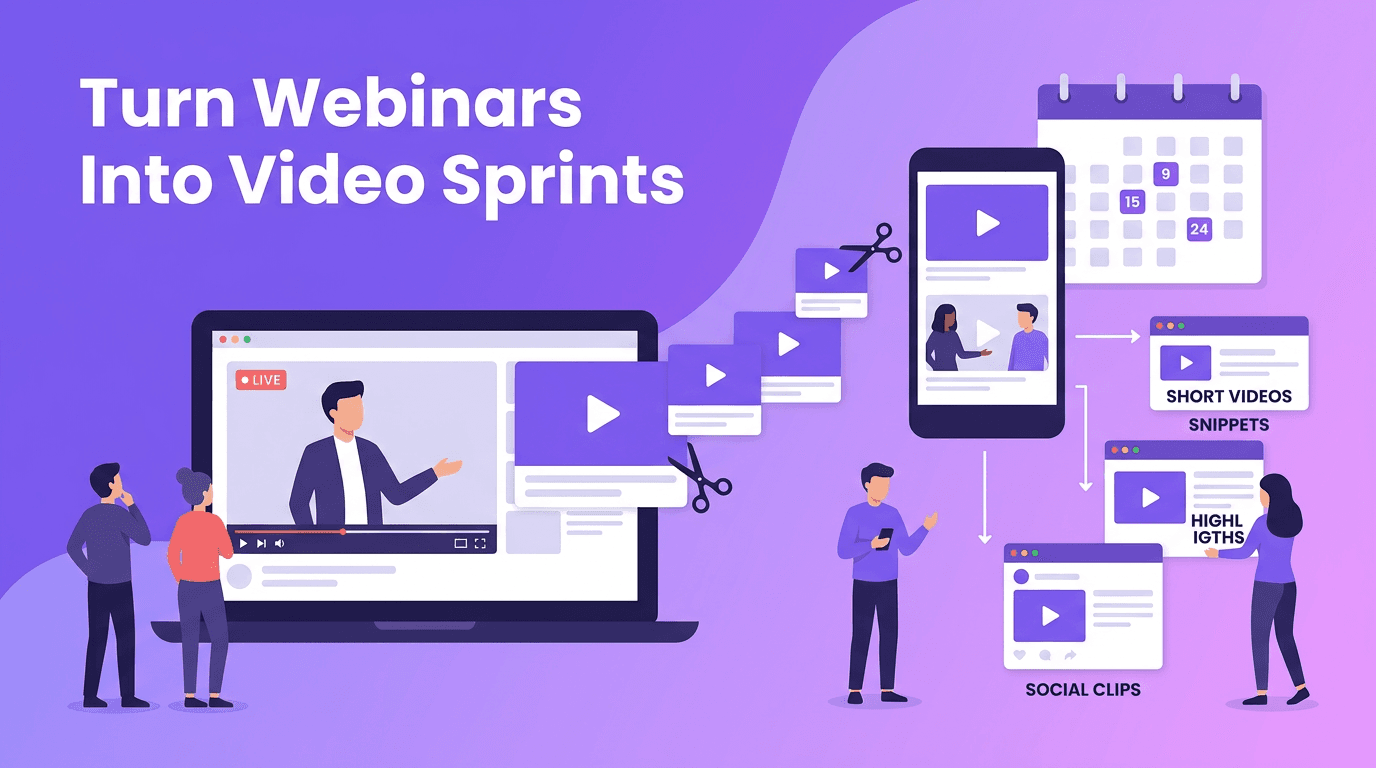
Webinar clips AI is a practical way to turn one long recording into a month of platform-ready videos. Learn a repeatable system for planning, producing, distributing, and measuring more content with less effort.

By Movi AI Team
Movi AI Editorial Team
Webinar clips AI gives creators and lean marketing teams a smarter way to scale video without constantly filming from scratch. If you already host webinars, workshops, live trainings, or long-form interviews, you are sitting on a content goldmine. The real win is building a system that turns one asset into many useful videos quickly, consistently, and with a clear distribution plan.
Why webinars are one of the best hidden content assets
A single webinar can produce educational clips, product snippets, social proof moments, objection-handling videos, and thought-leadership content. Instead of treating the webinar as a one-time event, treat it like a source library. This shift helps teams reduce production pressure while increasing output across platforms.
- One recording, many outputs - short clips for Reels, TikTok, Shorts, LinkedIn, and email
- Lower production load - less time spent scripting and filming brand-new videos
- More message consistency - your core points stay aligned across channels
- Faster publishing cycles - batch editing and scheduling make output more predictable
"The fastest way to create more content is not to create more from scratch. It is to extract more value from what you already made."
A 30-day webinar clips AI workflow
Here is the practical framework. Start with one webinar that solves a specific audience problem. Your goal is not to publish the full replay everywhere. Your goal is to identify the most reusable moments and convert them into platform-specific assets.
Step 1: Plan the webinar for clipping before you record
The best webinar clips AI workflow starts before the camera is on. Structure your webinar in clean segments with strong topic transitions. Ask clear audience questions, state common mistakes, share frameworks, and repeat your strongest one-line insights. These become your easiest clip candidates later.
- Open with a clear promise your audience cares about
- Break the session into 3 to 5 teachable sections
- Include a myth, a mistake, a framework, and a takeaway in each major section
- Say key points in short, direct language that works well as captions
- Leave space for a strong closing CTA that can become a conversion clip
Step 2: Extract high-value moments with AI
Once the webinar is recorded, use AI to identify high-retention moments, quote-worthy lines, and sections tied to key audience pain points. This is where *Movi AI* fits into an efficient stack. You can transform useful sections into new AI-generated visual assets from text, images, or existing video, helping each extracted point feel fresh instead of recycled.
Teams that batch content often reduce production time by 30 to 50 percent when they work from a strong source recording instead of creating every video independently. AI speeds up searching, scripting, trimming, reformatting, and visual rebuilding, while human judgment protects clarity and brand quality.
Step 3: Turn each clip into a platform-specific asset
Do not post the same file everywhere with the same framing. One webinar segment can become multiple assets with different hooks, lengths, and goals. A 60-second educational cut may work for LinkedIn, while a sharper 20-second insight may work better for Reels or Shorts.
- TikTok and Reels - lead with a bold hook and one takeaway
- YouTube Shorts - focus on searchable tips and strong visual pacing
- LinkedIn - use clips that show expertise, frameworks, and trend analysis
- Email - embed short clips that push readers toward a webinar replay or offer page
- Sales follow-up - use clips that answer objections or explain one specific benefit
How to maintain quality while scaling output
Scaling does not mean flooding channels with low-value edits. The right approach is to automate repetitive tasks and keep human attention on positioning, story selection, and brand fit. That balance is what makes webinar clips AI effective instead of generic.
- Create a clip selection rubric based on clarity, relevance, and audience pain points
- Use consistent caption styles, opening hooks, and CTA formats
- Refresh visuals when needed with *Movi AI* so old footage feels current
- Track which topics earn watch time, saves, clicks, and replies
- Retire weak clip formats quickly and double down on high-retention patterns
Ready to turn recordings into more content?
Use *Movi AI* to transform webinar ideas, source footage, and visual concepts into faster, scalable video output for every platform.
Download Movi AIA simple weekly operating rhythm for small teams
If you want content at scale without chaos, use a weekly sprint. On Monday, review one long-form recording and mark clip opportunities. On Tuesday, produce your short-list assets. On Wednesday, adapt versions by platform. On Thursday, schedule distribution. On Friday, review performance and note what should be repeated next week.
This kind of operating rhythm helps creators and marketing teams ship more without feeling like every post is a separate project. Over time, your best webinars become a repeatable content inventory that keeps feeding your channels.
Frequently Asked Questions
How do I turn a webinar into short social media videos?
Start by identifying the strongest teaching moments, objections, and sound bites. Then trim and reframe each one for the platform, adding a new hook, captions, and a clear CTA.
What is the best use of AI for webinar clips?
AI is most useful for finding highlight moments, speeding up editing decisions, generating new visuals, and helping teams batch multiple assets from one source video.
How many clips can I get from one webinar?
A focused 30 to 60 minute webinar can often produce 10 to 30 usable clips, depending on structure, delivery quality, and how many platforms you support.
Can Movi AI help with webinar repurposing?
Yes. Movi AI can help creators turn text prompts, images, or existing videos into fresh AI-generated video assets that support a larger repurposing workflow.
Movi AICreate stunning AI videos in seconds!
Turn your ideas into professional videos with the #1 AI video maker.
Download Movi AI