AI Green Screen Scenes for Reels: Build Impossible Locations Without a Studio
AI green screen scenes are becoming a smart shortcut for creators who want cinematic Reels and TikToks without travel, sets, or expensive edits. Here is how the effect works, what is trending, and how to use it for scroll-stopping short videos.

By Movi AI Team
Movi AI Editorial Team
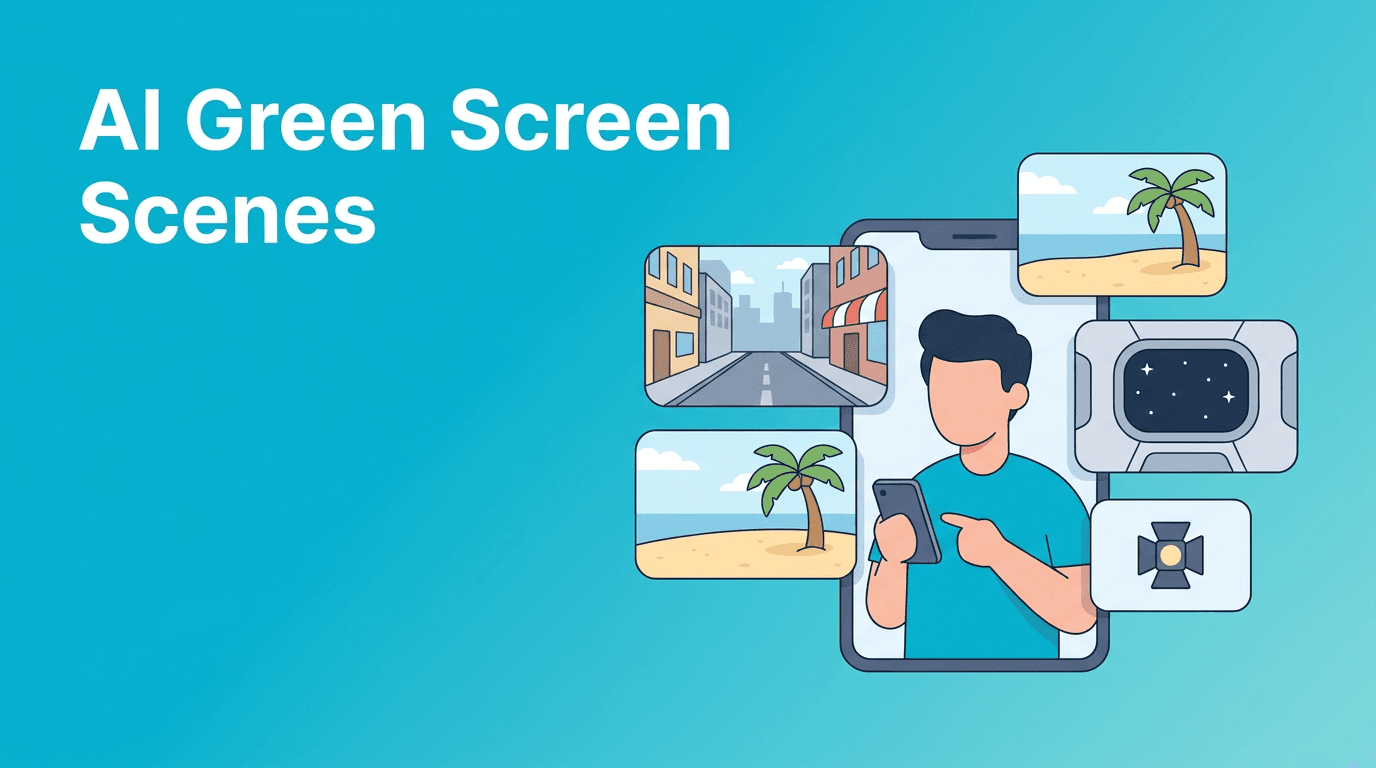
AI green screen scenes are giving short-form creators a new way to fake big-budget locations with almost no setup. Instead of renting a studio or traveling for shots, you can generate dramatic environments, swap backgrounds, and build a stronger hook for TikTok and Reels in minutes.
Why this effect is trending right now
Creators are under pressure to make every clip feel bigger, faster, and more immersive. That is why AI green screen scenes are taking off. They turn ordinary bedroom footage into airport vlogs, futuristic control rooms, luxury offices, desert roads, or dreamy cafe interiors that instantly raise perceived production value.
- They create instant context - viewers understand the story in one second.
- They boost retention - unusual locations make people pause.
- They are affordable - no set build, location permit, or travel cost.
- They fit many niches - beauty, fashion, gaming, coaching, music, and product content.
How AI green screen scenes work
Technically, the effect combines subject separation, scene generation, and motion-aware compositing. AI detects the person in the foreground, estimates edges like hair and hands, and places that subject over a generated or selected environment. Better tools also adapt lighting, blur, and perspective so the final shot feels more believable.
The simple technical breakdown
- Segmentation finds the person and separates them from the original background.
- Matting refines tiny details like curls, fingers, and transparent edges.
- Scene generation creates a new space from a text prompt, image, or template.
- Compositing blends the creator with the new scene.
- Temporal consistency helps the effect stay stable across frames so it does not flicker.
"The fastest way to make a short video feel expensive is to change the world around the subject."
What kinds of scenes perform best on TikTok and Reels
Not every generated background goes viral. The best-performing concepts usually support a very clear content angle. Think transformation, aspiration, humor, or contrast. A random background looks gimmicky, but a strategic one strengthens the story.
- Aspiration scenes - penthouse office, luxury hotel, first-class cabin, fashion set.
- Fantasy scenes - spaceship cockpit, magical library, underwater hallway, neon alley.
- Niche authority scenes - podcast studio, trading desk, chef kitchen, fitness lab.
- Contrast scenes - serious monologue in a bizarre location for comedic effect.
How creators can use AI green screen scenes effectively
1. Match the scene to the hook
If your first line is about productivity, use a sleek office or creative workspace. If the hook is about burnout, place yourself in a chaotic control room or surreal endless desk setup. The visual should reinforce the first sentence, not distract from it.
2. Keep camera movement simple
This effect usually looks best with steady framing, clean body separation, and limited motion blur. Overly complex movement can break the illusion. Record with strong light, clear contrast from the background, and avoid fast hand motion across the face.
3. Use prompts with physical detail
When generating backgrounds, avoid vague prompts. Specific prompts like 'modern glass podcast studio with microphones and acoustic panels' or 'small Paris cafe window seat with street view' create more believable results than generic phrases like 'cool room'.
Common mistakes that make the effect look fake
- Mismatched lighting - bright face, dark scene, or the opposite.
- Wrong eye line - looking up while the horizon suggests a lower camera angle.
- Overcrowded scenes - too many details compete with the subject.
- Weak edge detection - messy hair cutouts ruin realism fast.
- No story purpose - the effect feels empty if it adds no meaning.
Want to build scroll-stopping scene videos faster?
Use *Movi AI* to generate videos from text, images, or existing clips and test creative scene ideas without a full production setup.
Download Movi AIWhere Movi AI fits into this workflow
*Movi AI* gives creators a flexible way to produce short videos with text-to-video, image-to-video, video-to-video, and speech-to-video workflows. That means you can start from a rough concept, a photo, or existing footage, then build content that feels more cinematic and trend-ready without needing a traditional editing pipeline.
For creators testing AI green screen scenes, that flexibility matters. You can rapidly try different environments, hooks, and storytelling angles to see what earns stronger watch time and shares.
Ethics and disclosure matter
Even when the background is fictional, creators should think about authenticity and audience trust. Do not use generated scenes to mislead viewers about real travel, attendance at events, or professional settings if that context changes the meaning of your content. If the location matters to the claim, be transparent.
Final take
AI green screen scenes work because they make everyday content feel bigger, clearer, and more story-driven. If you pair the effect with a strong hook, realistic compositing, and a purpose-built visual concept, you can create Reels and TikToks that stand out without renting a set or boarding a plane.
Frequently Asked Questions
What are AI green screen scenes?
They are AI-generated or AI-replaced backgrounds that place a subject into a new environment without a traditional physical green screen setup.
Do AI green screen scenes work for TikTok videos?
Yes. They are especially useful for TikTok because they create a stronger visual hook and can make simple talking videos feel more dynamic.
How do I make AI green screen scenes look realistic?
Use steady footage, strong lighting, a clear subject outline, and background prompts that match your camera angle and content theme.
Can I create AI videos from prompts with Movi AI?
Yes. Movi AI supports text-to-video, image-to-video, video-to-video, and speech-to-video workflows for creators.
Movi AICreate stunning AI videos in seconds!
Turn your ideas into professional videos with the #1 AI video maker.
Download Movi AI