AI Lip Sync Videos: The Smart Creator Guide to Trending Voice-Matched Reels
AI lip sync videos are blowing up on TikTok and Instagram because they make voice-driven content faster, funnier, and more cinematic. Here is how the effect works, why it goes viral, and how creators can use it better.

By Movi AI Team
Movi AI Editorial Team
AI lip sync videos are one of the fastest-moving short-form trends right now. On TikTok and Instagram, creators are using them to match dialogue, remix memes, turn photos into talking clips, and build punchier story-driven edits without filming every frame from scratch.
Why AI lip sync videos are trending now
Short-form platforms reward content that feels instantly understandable. AI lip sync videos work because viewers get the joke, reaction, or story beat in the first second. They also fit perfectly with trending audio, creator commentary, parody formats, and character-based edits.
- They turn a static image or simple clip into something that feels alive
- They make reaction content easier to produce at scale
- They help creators localize voice content for different audiences
- They open up meme formats without complex manual animation
How the effect works technically
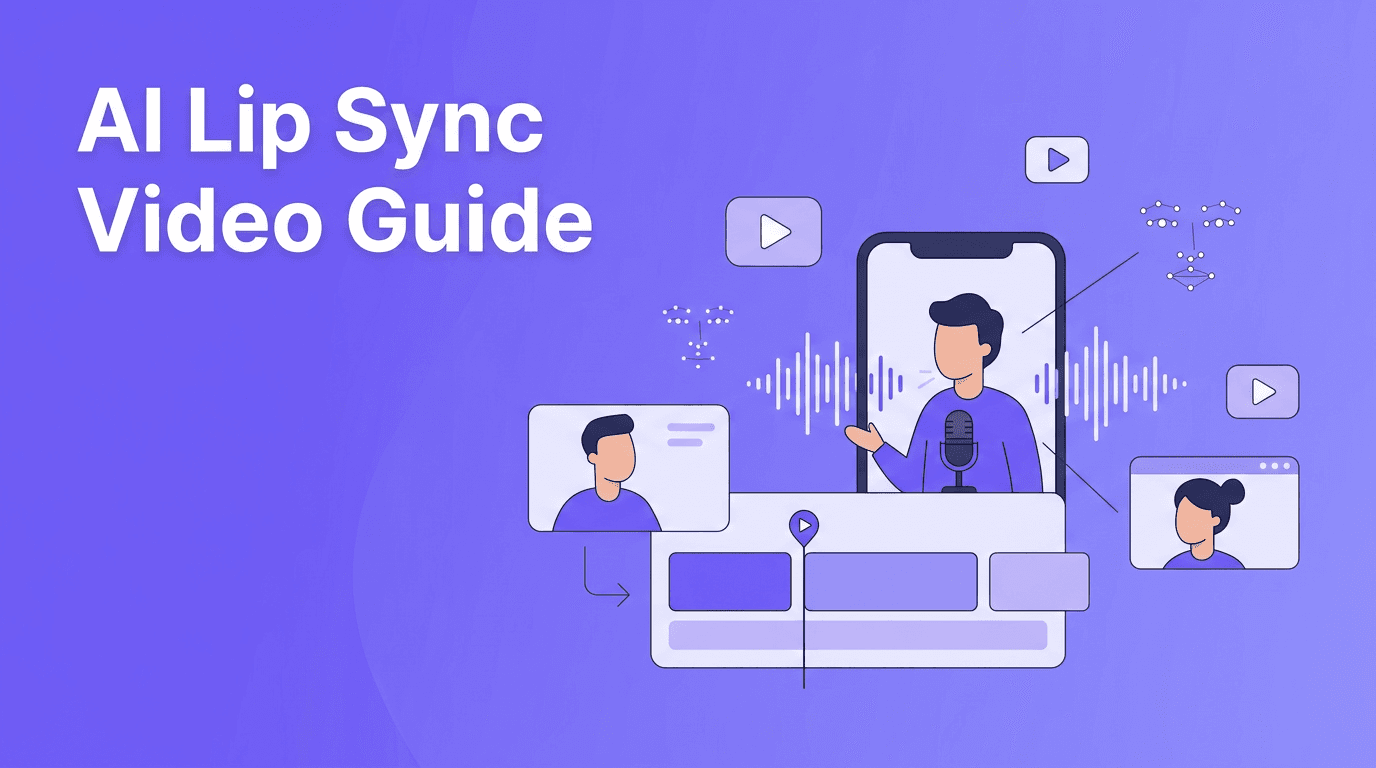
At a simple level, lip sync AI maps facial landmarks like the mouth, jaw, and cheeks, then predicts how those areas should move based on speech audio. The model analyzes phonemes, which are the sound units in spoken language, and matches them to mouth shapes frame by frame. Better tools also stabilize head motion, preserve identity, and smooth blinking so the final result feels more believable.
The core ingredients behind the effect
- Audio analysis to detect timing, rhythm, and phonemes
- Face tracking to identify facial structure and expression zones
- Motion synthesis to generate realistic mouth and jaw movement
- Frame consistency to reduce flicker between generated frames
- Identity preservation so the person still looks like themselves
"The best AI effects do not just look impressive. They make creators faster, more expressive, and more memorable."
Where creators are using AI lip sync videos
You will see this format across comedy skits, fan edits, talking portraits, storytelling channels, music jokes, and brand content. A creator can use a single selfie, add a trending audio clip, and create a character moment that feels native to TikTok or Reels.
Best use cases for short-form creators
- Meme reactions with iconic audio clips
- Character roleplay for fandom and cosplay accounts
- Storytime hooks that open with a dramatic talking visual
- Product marketing with a mascot or founder voice clip
- Educational content where a figure or image delivers a quick fact
Tips to make AI lip sync videos look better
Start with a clear face, front-facing angle, and clean lighting. Use short audio clips first, because timing errors become more obvious on longer scenes. If the voice is energetic, match it with a photo or clip that already has strong expression. Keep cuts fast so the effect feels intentional, not overexposed.
- Use high-quality source images or video
- Keep speech clips between 3 and 10 seconds for best realism
- Choose audio with clear pronunciation
- Add captions so viewers can follow instantly
- Pair the effect with zoom cuts, reaction text, and sound design for stronger retention
Want to test AI lip sync videos fast?
Use *Movi AI* to turn text, images, or footage into scroll-stopping short videos with powerful AI generation tools built for creators.
Download Movi AICommon mistakes that make the effect fail
The biggest issue is mismatch. If the source face is turned too far away, covered by hair, low-resolution, or poorly lit, the generated mouth motion can break. Another common mistake is using emotionally flat visuals with highly dramatic audio.
- Avoid faces hidden by hands, microphones, or sunglasses
- Do not stretch one clip too long if the sync starts drifting
- Avoid heavy compression before generation
- Do not use copyrighted audio carelessly for branded campaigns
Ethics, consent, and creator safety
Like other synthetic media tools, lip sync effects need responsible use. Always get consent before animating another person's face or voice. Avoid deceptive political, financial, or harmful impersonation. For creators and brands, transparency builds trust, especially when a video uses AI-generated performance elements.
Why Movi AI fits this workflow
*Movi AI* gives creators a flexible way to build short videos from text prompts, images, existing footage, or speech. That means you can experiment with talking visuals, stylized clips, and fast concept testing in one app instead of juggling multiple tools. For TikTok and Reels creators, speed matters, and that is where an all-in-one AI creator workflow stands out.
Frequently Asked Questions
What are AI lip sync videos?
AI lip sync videos use machine learning to match mouth movement and facial motion to spoken audio. They are popular for memes, talking portraits, and short-form storytelling.
How do creators make AI lip sync videos for TikTok?
Creators usually start with a face photo or video, add a voice or trending audio clip, then use an AI tool to generate synced mouth movement and export a short vertical video.
Are AI lip sync videos legal to use?
They can be legal when used responsibly, but you should always get consent before using someone else's likeness or voice and avoid deceptive or harmful impersonation.
What makes AI lip sync videos go viral?
Strong hooks, recognizable audio, expressive faces, and short punchy edits tend to perform best. The effect works well when the joke or emotion lands in the first few seconds.
Movi AICreate stunning AI videos in seconds!
Turn your ideas into professional videos with the #1 AI video maker.
Download Movi AI