Trending AI Video Filters Creators Are Using to Blow Up on TikTok
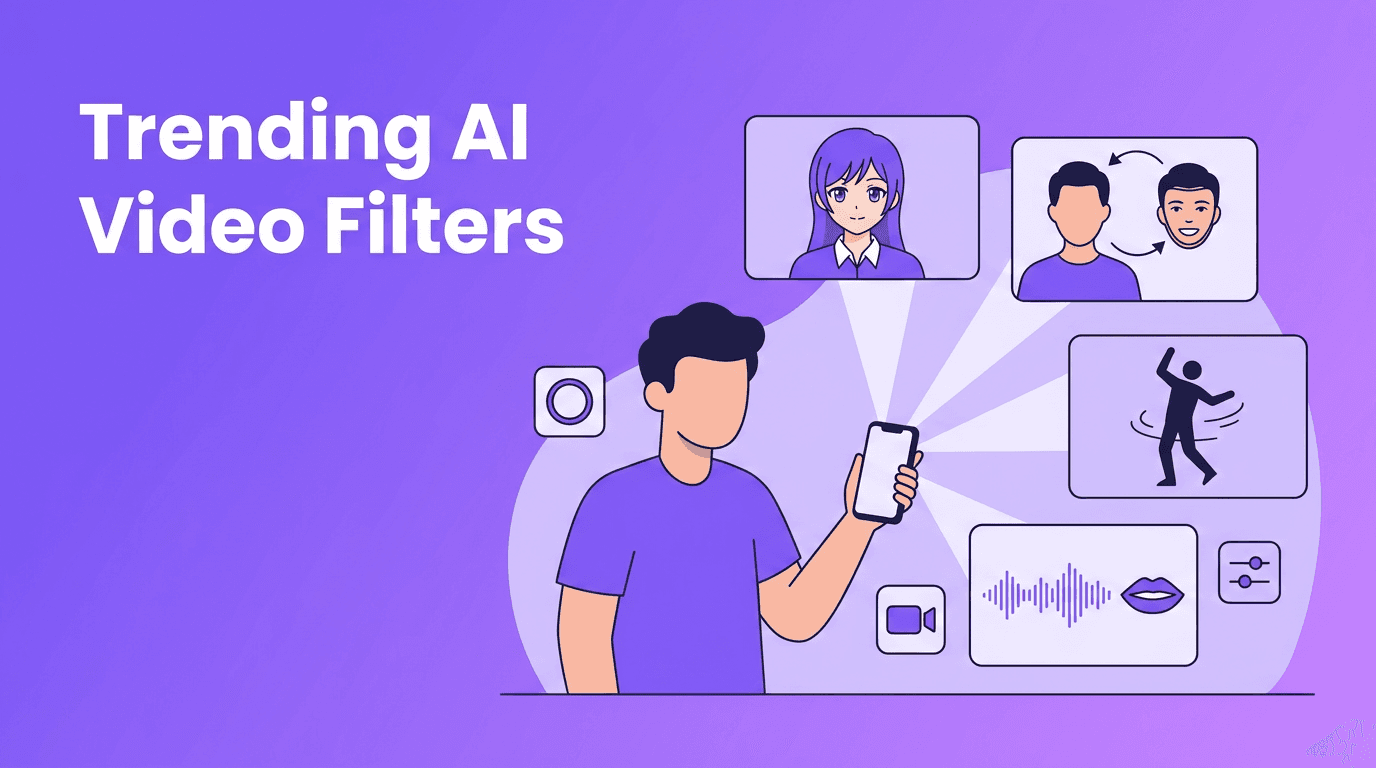
Trending AI video filters are reshaping TikTok and Reels with anime looks, face swaps, lip sync, dance effects, and style transfer. Here's how they work and how to use them for viral content.

By Movi AI Team
Movi AI Editorial Team
If you want faster views on short-form platforms, mastering the ai video filter trend is one of the smartest moves right now. From anime filter ai looks to ai dance effect clips and ultra-realistic ai face swap edits, creators on TikTok and Instagram are using AI to turn simple footage into scroll-stopping content.
Why AI effects are dominating TikTok and Reels
Short-form platforms reward content that grabs attention in the first second. That is exactly why AI-powered transformations are everywhere. They create instant surprise, visual novelty, and high replay value. A strong ai video filter can turn an ordinary selfie, product shot, or talking video into something people want to watch twice and share with friends.
- Transformation hooks perform well because viewers want to see the before-and-after reveal.
- Unexpected motion like AI dance or lip sync keeps retention high.
- Identity play with style transfer or face swap sparks curiosity and comments.
- Low production effort, high visual payoff makes AI effects ideal for creators posting daily.
The latest AI video effects creators are using
Anime filter AI
The anime filter ai trend converts real faces, outfits, and backgrounds into stylized animated visuals. Technically, these tools use image segmentation, facial landmark detection, and generative models to map your features into an illustrated style. The result feels like a mix of selfie content and anime storytelling.
- Use clean lighting so the model can detect your face clearly.
- Keep your head movement moderate for more stable frame-to-frame results.
- Pair anime transformations with trending audio for stronger TikTok performance.
- Use the effect for character intros, cosplay reveals, or glow-up transitions.
AI dance effect
The ai dance effect trend is exploding because it combines humor, surprise, and movement. These effects often rely on pose estimation models that track key body points like shoulders, elbows, hips, and knees. AI then either animates the body, remixes the motion, or transfers a dance pattern onto a subject.
- Start with a full-body shot and avoid cluttered backgrounds.
- Wear clothes that separate clearly from the background for cleaner tracking.
- Use dance effects for reaction posts, memes, brand mascots, and character content.
- Keep clips short, 5 to 10 seconds usually performs best on Reels and TikTok.
AI face swap
AI face swap remains one of the most talked-about effects because it is instantly recognizable and highly shareable. Under the hood, face swap tools use face detection, landmark mapping, identity encoding, and frame blending to place one face onto another while preserving expression and movement. When done well, it feels seamless. When done badly, it looks uncanny, which can also go viral for the wrong reasons.
The best AI effects do not just look impressive. They make people stop, feel something, and hit replay.
- Use face swap for skits, character roleplay, historical recreations, and comedy edits.
- Always get clear consent before using someone else's face.
- Avoid misleading or harmful use, especially for news, politics, or intimate content.
- Check eye lines and face angles to improve realism and reduce glitches.
AI beauty filter
The modern ai beauty filter goes far beyond simple skin smoothing. It can refine lighting, balance skin tone, enhance facial symmetry, sharpen eyes, and subtly adjust contours. Many systems combine computer vision with generative enhancement models to improve facial appearance while trying to preserve natural motion.
- Use beauty enhancement lightly. Over-editing often reduces trust and authenticity.
- Combine beauty filters with soft daylight or window light for more natural results.
- Beauty AI works well for talking-head videos, tutorials, and creator brand intros.
- If you promote products, keep edits honest so viewers are not misled.
Lip sync AI and speech-driven video
Lip sync AI is trending because it makes videos feel polished, cinematic, and sometimes surreal. These tools analyze phonemes, timing, and mouth shapes, then generate matching lip movement frame by frame. Some systems can animate still images, avatars, or existing video clips to match speech or music.
- Use clear audio for better lip timing accuracy.
- Short voice lines usually produce cleaner results than long monologues.
- Try lip sync for meme remixes, multilingual content, music jokes, and animated explainers.
- Review mouth movement closely before posting, especially on close-up shots.
Style transfer and other creative AI video effects
Style transfer is where AI applies the look of one visual style to another video. That could mean turning a city clip into a comic scene, a portrait into a painterly sequence, or product footage into a futuristic ad. Other ai video editing effects include object morphing, background generation, weather simulation, cinematic relighting, and text-to-video transitions.
- Use style transfer when you want a strong visual identity for your niche.
- Match the effect to the story. A cool effect without a concept rarely performs long term.
- Test one dramatic effect per clip instead of stacking too many at once.
- Save high-energy effects for the first second to improve retention.
How these AI effects work in simple terms
Most trending ai effects combine a few core technologies. First, AI detects important parts of the video like faces, body poses, backgrounds, or objects. Next, a model predicts how those elements should move or look in a new style. Finally, the app renders updated frames and blends them into a smooth video. The better the tracking, timing, and frame consistency, the better the final result.
- Face detection finds facial features and expressions.
- Pose estimation tracks body movement for dance and motion effects.
- Segmentation separates people from the background.
- Generative models create new textures, styles, or facial details.
- Audio analysis powers lip sync and speech-based animation.
How to use AI video filters effectively as a creator
Start with the hook
Put your strongest visual change at the beginning. On tiktok ai effects, the first second decides whether people keep watching. Show the transformation early, then reveal the full result.
Choose one effect that matches your niche
Beauty creators can lean into ai beauty filter workflows. Cosplayers and fandom creators can use anime filter ai. Meme pages can use ai face swap and lip sync. Fitness and comedy creators can experiment with ai dance effect clips.
Keep source footage clean
Even the best ai video filter needs solid input. Use good lighting, stable framing, and uncluttered shots. Better source footage leads to fewer glitches and more believable results.
Edit for platform behavior
- Keep most clips under 15 seconds for testing.
- Use captions because many people watch with sound off.
- Add a curiosity-driven title on screen.
- Test multiple openings with the same effect to find the best hook.
- Repurpose winners from TikTok to Instagram Reels with platform-specific captions.
Want all these effects in one workflow?
*Movi AI* helps you create videos from text, images, or existing footage with powerful AI tools like style transfer, face transformations, lip sync, and creative video generation built for modern creators.
Download Movi AIEthics, consent, and smart creator rules
AI effects are fun, but creators need to use them responsibly. If you use ai face swap or realistic beauty enhancement, be transparent when it changes identity or appearance in a meaningful way. Never use someone else's likeness without permission. Avoid deceptive edits that could harm trust, spread misinformation, or cross personal boundaries.
- Get consent before using another person's face or voice.
- Label highly altered content when context could confuse viewers.
- Do not use AI to imitate real people in harmful or misleading scenarios.
- Protect your brand by using AI creatively, not deceptively.
Final takeaway on trending AI video filters
The best ai video filter trends are not just flashy. They work because they combine novelty, speed, and storytelling in a format built for social media. Whether you are testing trending ai effects, exploring ai video editing effects, or building a repeatable series with *Movi AI*, the winning strategy is simple: choose one strong effect, match it to your niche, and make the transformation impossible to ignore.
Frequently Asked Questions
What is the best ai video filter for TikTok right now?
It depends on your niche, but anime transformations, face swap, lip sync, and AI dance effects are among the most attention-grabbing options for short-form content.
How does anime filter ai work on videos?
Anime video filters usually detect facial features, edges, and scene elements, then apply a stylized generative look across frames while trying to keep motion consistent.
Are ai face swap videos allowed on Instagram and TikTok?
They can be allowed, but creators should follow platform rules, avoid deception, and always get consent when using another person's face or identity.
Do ai beauty filters help videos go viral?
They can improve polish and confidence on camera, but they work best when used subtly alongside strong hooks, clear storytelling, and good lighting.
What app can create trending ai effects for videos?
Apps like *Movi AI* help creators make AI-powered videos with transformations, style changes, lip sync, and other effects from text, images, or existing clips.
Movi AICreate stunning AI videos in seconds!
Turn your ideas into professional videos with the #1 AI video maker.
Download Movi AI

