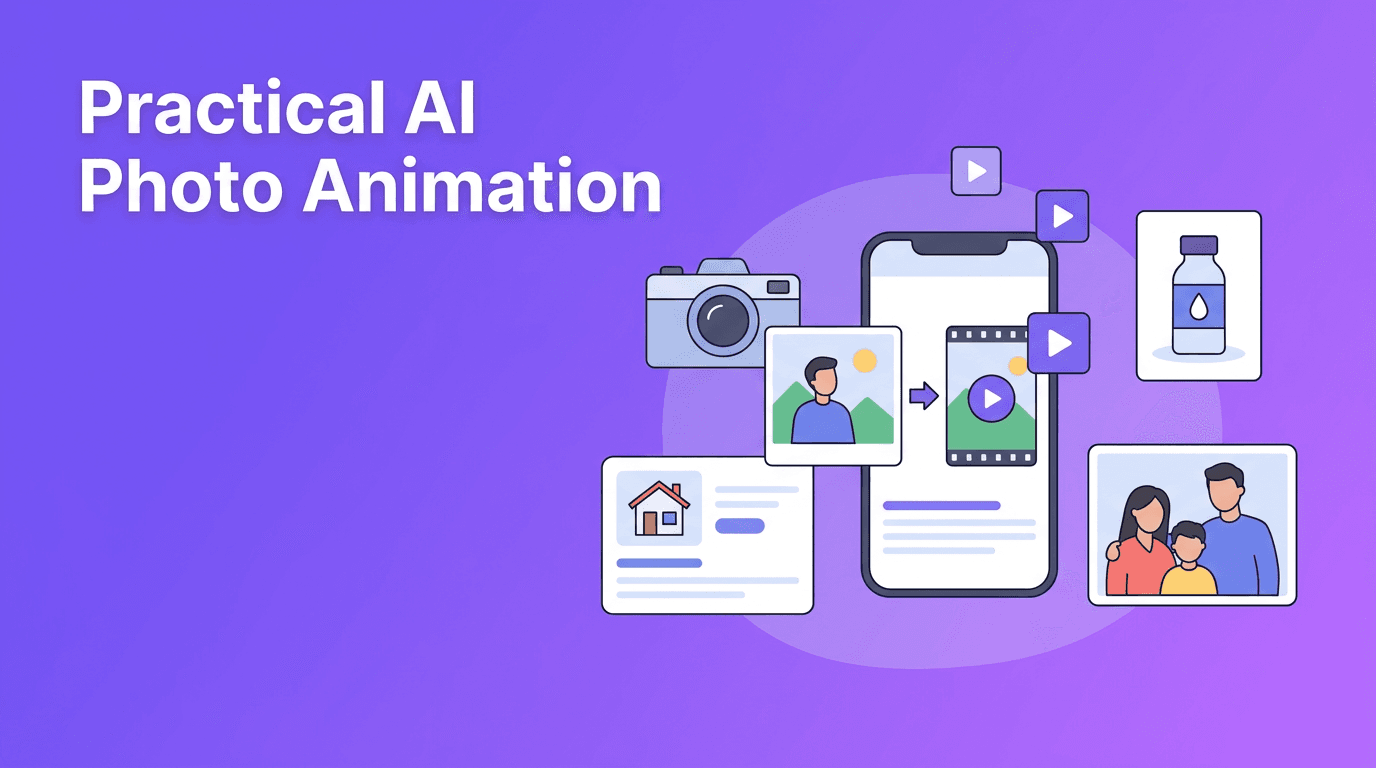
Photo Cinemagraphs for Listings and Shops: A Practical Guide to AI Photo Animation
AI photo animation can turn one still image into a polished, moving visual for shops, listings, and memories. Learn how to plan motion, choose the right photo, and create clips that feel natural and engaging.

By Movi AI Team
Movi AI Editorial Team
AI photo animation is one of the simplest ways to make a still image feel active, emotional, and more watchable. Instead of posting a flat photo, you can add motion cues like a cinematic pan, slow zoom, subtle parallax depth, or stylized character movement to create a short video from a single frame.
This is especially useful for e-commerce sellers, real estate agents, photographers, and social media creators who want more engaging content without planning a full shoot. With tools like *Movi AI*, a single product image, room photo, or portrait can become a scroll-stopping clip in minutes.
Why AI photo animation works
- Motion naturally attracts attention faster than a static image.
- Short moving visuals help viewers understand shape, space, and mood.
- A single photo can be reused across Reels, TikTok, Shorts, listing pages, and ads.
- It lowers production effort when you do not have the time or budget for a new video shoot.
"A great still image captures attention. A moving image helps hold it."
How a still photo becomes a moving clip
In simple terms, AI estimates how parts of the image could move over time. It can simulate camera motion, separate foreground from background for depth, and generate in-between frames so the result feels like a living scene rather than a basic slideshow. This is why the source image matters so much. Clear subjects, defined layers, and good lighting usually produce better motion.
Common motion styles to try
- Cinematic pan - The frame glides left, right, up, or down to reveal detail gradually.
- Slow zoom - A gentle push in or pull out adds drama and focus.
- Parallax depth - Foreground and background move at slightly different speeds to create dimension.
- Character animation - Faces, hair, clothing, smoke, water, or light can be animated for a more lively result.
Best source photos for AI photo animation
- Use the highest resolution version available.
- Choose images with a clear subject and clean edges.
- Look for natural depth, such as foreground objects and background space.
- Avoid heavy blur, crushed shadows, or blown highlights.
- For portraits, pick images with visible facial detail and natural expression.
- For products, use clean backgrounds when possible so motion stays believable.
Use case 1: Product photography animation for online stores
A still product photo can feel premium when animated with a gentle zoom, rotating light effect, or subtle background movement. Think of a skincare bottle, sneaker, candle, or watch. You do not need intense motion. In fact, small, controlled movement often feels more expensive and trustworthy.
- Use a hero product shot with strong lighting.
- Add a slow zoom to emphasize design details.
- Animate background elements lightly so the product remains the focus.
- Export short vertical cuts for social ads and square versions for marketplaces.
Use case 2: Real estate clips from listing photos
Agents can turn room photos into simple, polished teaser videos before scheduling a full walkthrough. A kitchen image can gain a slight pan across the island, while a living room photo can use parallax to make the space feel more open. This helps listings look more dynamic on social platforms and property pages.
- Start with wide, well-lit room photos.
- Use cinematic pan for layout reveal.
- Keep movement realistic so walls and furniture do not warp.
- Create a sequence of 3 to 5 animated room shots for a quick teaser.
Use case 3: Personal memories and old family photos
One of the most emotional uses of AI photo animation is bringing old portraits and family pictures to life. A careful zoom into a wedding photo, a subtle blink, or gentle movement in the background can make a memory feel present again. The key is restraint. For treasured images, natural motion usually works better than dramatic effects.
Tips for older photos
- Scan the image at a high resolution before animating it.
- Clean dust and scratches if possible.
- Increase contrast slightly if the original is faded.
- Use soft movement so faces remain respectful and recognizable.
Use case 4: Social media content from a single image
Creators often need consistent posting without constant filming. That is where AI photo animation shines. A travel image, outfit photo, food shot, or branded portrait can become a short looping video for Instagram Reels, TikTok, or YouTube Shorts. Add text overlays, music, or a voiceover later to turn a simple moving image into a finished post.
- Use vertical crops when your main platform is mobile-first.
- Keep clips between 5 and 12 seconds for easy reuse.
- Pair one animated photo with a hook like "Wait for the detail shot" or "This listing just hit the market".
- Batch-create several versions from one photo for A/B testing.
How to create better results in Movi AI
With *Movi AI*, you can experiment with image-based video creation in a flexible way. Start with one strong photo, choose a motion direction, and generate a few versions rather than stopping at the first result. Test a zoom version, a pan version, and a depth version. Then compare which one feels most natural for your audience and platform.
Ready to animate your photos?
Use *Movi AI* to turn still images into polished clips for products, listings, memories, and social posts.
Download Movi AICommon mistakes to avoid
- Using low-quality photos and expecting crisp motion.
- Adding too much movement to a photo that needs subtlety.
- Animating every part of the frame equally instead of guiding viewer focus.
- Ignoring platform format, such as posting landscape clips on vertical-first channels.
- Skipping multiple test renders before publishing.
Final thoughts on AI photo animation
If you want more value from your image library, AI photo animation is a practical next step. It helps brands sell, agents showcase space, creators post faster, and families revisit meaningful memories in a vivid way. Start with clean photos, pick motion that fits the subject, and let *Movi AI* help you create polished video content without a full production setup.
Frequently Asked Questions
How do I animate a still photo with AI?
Start with a clear, high-quality image, choose a motion style like pan, zoom, or depth, and generate a short clip with an AI tool such as Movi AI.
What is the best photo type for AI photo animation?
Photos with strong lighting, a clear subject, and visible depth usually work best. High resolution also improves the final result.
Can AI photo animation work for real estate listings?
Yes. Wide interior and exterior images can be animated with subtle pans or depth movement to create short listing teasers.
Can I use AI photo animation for old family pictures?
Yes, especially if the image is scanned clearly and cleaned up first. Gentle motion usually gives the most natural and respectful result.
Movi AICreate stunning AI videos in seconds!
Turn your ideas into professional videos with the #1 AI video maker.
Download Movi AI