How to Use an AI Text to Video Generator for Better Results
Learn how an AI text to video generator turns prompts into clips, how models work, and how to write better prompts to create stronger videos faster.

By Movi AI Team
Movi AI Editorial Team
An ai text to video generator can turn a written idea into moving visuals in minutes. If you want to convert text to video, understand how text to video AI works, and get better results from your prompts, this guide breaks down the process in a practical, beginner-friendly way.
What text to video actually does
At its core, text to video uses AI models to interpret your prompt, predict what the scene should look like, and generate a sequence of frames that feel visually consistent. Instead of filming, lighting, editing, and animating everything manually, you describe the result you want and the model builds a video from that instruction.
A modern text to video app like *Movi AI* makes this process easier by giving you a simple interface for entering prompts, choosing styles, setting aspect ratios, and generating clips from text, images, or existing footage.
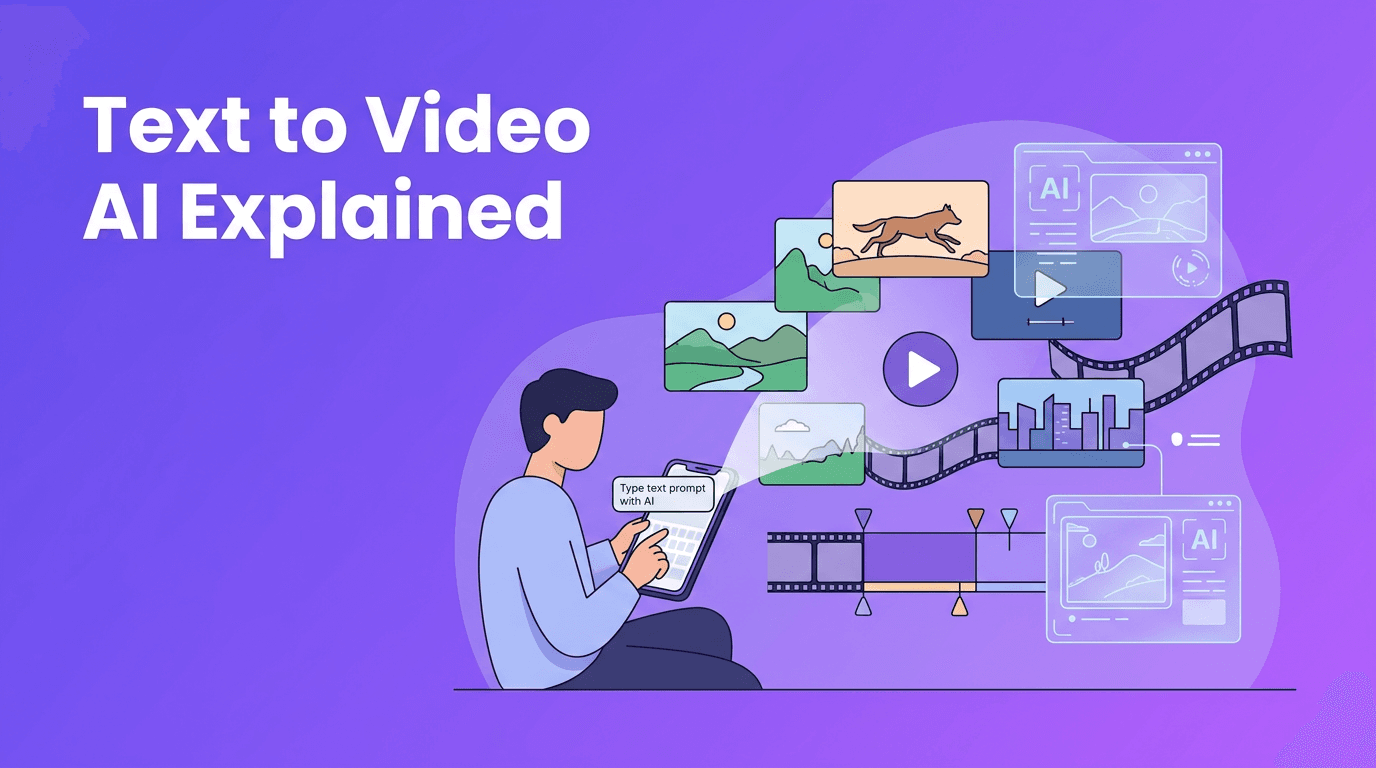
A simple input to output workflow
- Prompt: Describe the subject, action, setting, camera angle, and mood.
- Model interpretation: The AI maps your words to visual concepts it learned during training.
- Frame generation: The system creates a sequence of images that evolve over time.
- Motion consistency: Extra processing helps characters, objects, and camera movement stay coherent.
- Refinement: You adjust prompt wording, style terms, length, or aspect ratio and generate again.
The science behind text to video AI
Most text to video AI systems combine language understanding with image and motion generation. First, a text encoder converts your prompt into numerical representations. Then a generative model uses those representations to create frames and motion that match the prompt as closely as possible.
Diffusion models vs transformer-based approaches
Diffusion models usually start with visual noise and gradually shape it into meaningful frames. They are popular because they can produce high-quality detail and strong stylistic control. In video tasks, diffusion systems often add methods to maintain frame-to-frame consistency so motion looks smoother.
Transformer-based models focus on relationships across tokens, frames, or patches. They are strong at understanding sequence structure and long-range dependencies, which can help with temporal coherence and story progression. In practice, many cutting-edge systems combine transformer components with diffusion techniques rather than using only one method.
- Diffusion strengths: strong image quality, flexible style control, widely used in generation pipelines.
- Diffusion tradeoffs: can be slower, may struggle with long clips or perfect motion consistency.
- Transformer strengths: better sequence modeling, useful for timing, continuity, and prompt understanding.
- Transformer tradeoffs: can require more compute and may vary in visual detail depending on architecture.
- Hybrid systems: often deliver the best balance of prompt understanding, image quality, and motion.
"The better your prompt matches a visual decision, the easier it is for the model to create a video that feels intentional rather than random."
How to create video from text with better prompts
If you are wondering how to create video from text successfully, prompt structure matters more than most beginners expect. Short prompts can work, but detailed prompts usually give you more control over subject, scene, movement, and style.
A prompt formula beginners can use
Try this structure: subject + action + setting + camera + lighting + style + duration goal. This helps the model understand not just what should appear, but how the video should feel.
- Subject: a barista, a robot, a runner, a product box
- Action: pouring coffee, walking through rain, opening a package
- Setting: modern cafe, city street at night, minimalist studio
- Camera: close-up, wide shot, slow dolly in, overhead angle
- Lighting: soft window light, cinematic backlight, bright daylight
- Style: realistic, animated, 3D, watercolor, ad-style
- Duration goal: 5-second loop, 10-second product reveal, short explainer clip
Good prompt vs bad prompt examples
- Bad: 'make a coffee video'
- Better: 'Close-up of a barista pouring latte art into a ceramic cup in a cozy cafe, soft morning light, shallow depth of field, slow camera push in, realistic cinematic style, 6 seconds'
- Bad: 'show a phone app'
- Better: 'A hand holding a smartphone that displays a video creation app interface, floating preview clips on screen, clean studio setting, smooth rotation shot, modern commercial style, 5 seconds'
When you convert text to video, vague prompts often create generic results. Specific prompts reduce ambiguity and improve composition, motion, and style alignment.
Prompt tips that improve output quality
- Use one clear main subject instead of too many competing elements.
- Describe visible actions like walking, opening, turning, smiling, or zooming.
- Add camera language such as pan left, dolly in, aerial shot, or close-up.
- Include style keywords like realistic, anime, claymation, cinematic, or UGC ad.
- Specify lighting and mood to guide the visual tone.
- Mention background details only if they support the main scene.
- If the result is unstable, make the prompt simpler and more focused.
Settings that change your text to video results
Prompt writing is only part of the process. Generation settings also shape the final clip. Many users searching for text to video free tools overlook these controls, but they can make a major difference.
Aspect ratio, length, style, and quality
- Aspect ratio: Use 9:16 for Shorts, Reels, and TikTok, 16:9 for YouTube, and 1:1 for square social posts.
- Video length: Start with short clips, often 4 to 8 seconds, because shorter generations are easier for models to keep coherent.
- Style keywords: Match style terms to your goal, such as product ad, cinematic realism, cartoon, or social media UGC.
- Quality settings: Higher quality may improve detail but take longer to render. Test fast drafts first, then upscale or refine.
- Seed or variation controls: If available, use them to explore alternate versions without rewriting the entire prompt.
Different models interpret the same prompt differently. One model might prioritize realism, another might exaggerate motion, and another might follow style keywords more aggressively. That is why testing small prompt variations is part of every effective ai video from text prompt workflow.
Practical uses for an AI text to video generator
An ai text to video generator is useful far beyond entertainment. It can speed up production for creators, marketers, teachers, and small businesses that need visual content without a full studio setup.
- Social media content: create short promos, hooks, and visual storytelling clips quickly.
- Product marketing: generate concept ads, feature highlights, and launch teasers.
- Education: turn lesson ideas into visual explainers and animated examples.
- Storyboarding: test scenes before filming or pitching a larger production.
- Brand experimentation: try different visual directions before investing in full shoots.
- Client mockups: show early creative concepts faster and with less cost.
Ready to try text to video yourself?
*Movi AI* is a user-friendly **text to video app** for creating AI videos from prompts, images, speech, or existing clips. It is a simple way for beginners and creators to test ideas fast.
Download Movi AICommon beginner mistakes when using text to video
- Writing prompts that are too short and leaving the model to guess important details.
- Requesting too many actions at once, which can make motion confusing.
- Ignoring aspect ratio, then discovering the framing does not fit the platform.
- Choosing long durations before testing a short draft clip first.
- Expecting every model to interpret prompts the same way.
- Skipping iteration, even though the best results usually come after 2 to 5 prompt refinements.
A simple workflow with Movi AI
- Open *Movi AI* and choose a text-to-video project.
- Enter a focused prompt using the subject-action-setting-camera formula.
- Pick the right aspect ratio for your platform.
- Choose a style and quality level based on speed vs detail.
- Generate a short draft, review it, and note what needs improvement.
- Refine the prompt, simplify weak sections, or add stronger visual direction.
- Export the best version and repurpose it for social, ads, or presentations.
Final thoughts on text to video
Learning text to video is really about learning how to describe visuals clearly. Once you understand how models interpret prompts, how diffusion and transformer-based systems differ, and how settings affect output, you can create stronger clips with less trial and error. For beginners, the easiest path is to start simple, iterate quickly, and use a flexible tool like *Movi AI* to turn ideas into video faster.
Frequently Asked Questions
What is the best way to write prompts for text to video?+
Start with a clear subject, visible action, setting, camera angle, and style. Specific prompts usually produce better results than short, vague requests.
How does an ai text to video generator work?+
It uses AI models to interpret your text prompt, generate visual frames, and create motion across those frames. Many systems combine language models with diffusion or transformer-based video generation methods.
Can I convert text to video for free?+
Some platforms offer limited free generations or trial credits. Free options are useful for testing, but paid plans often unlock better quality, longer clips, and more control.
What aspect ratio should I use for text to video content?+
Use 9:16 for vertical short-form platforms, 16:9 for YouTube and presentations, and 1:1 for square social posts. Choose the ratio before generating so composition matches your publishing goal.
What is a good text to video app for beginners?+
A beginner-friendly app should make prompt entry, style selection, aspect ratio choices, and export simple. *Movi AI* is designed to help users create AI videos from text, images, speech, or existing videos with an easy workflow.
Create stunning AI videos in seconds!
Turn your ideas into professional videos with the #1 AI video maker.
Download Movi AI