Photo to Video Ideas That Turn Still Images Into Motion
Discover practical photo to video ideas for products, homes, memories, and social posts. Learn how AI adds motion, depth, and storytelling from a single image.
By Movi AI Team
Movi AI Editorial Team
A great photo to video workflow can turn a single still image into something immersive, emotional, and highly shareable. With modern AI tools, you can add camera movement, depth, and subtle animation without learning complex editing software.
Why photo to video is changing visual storytelling
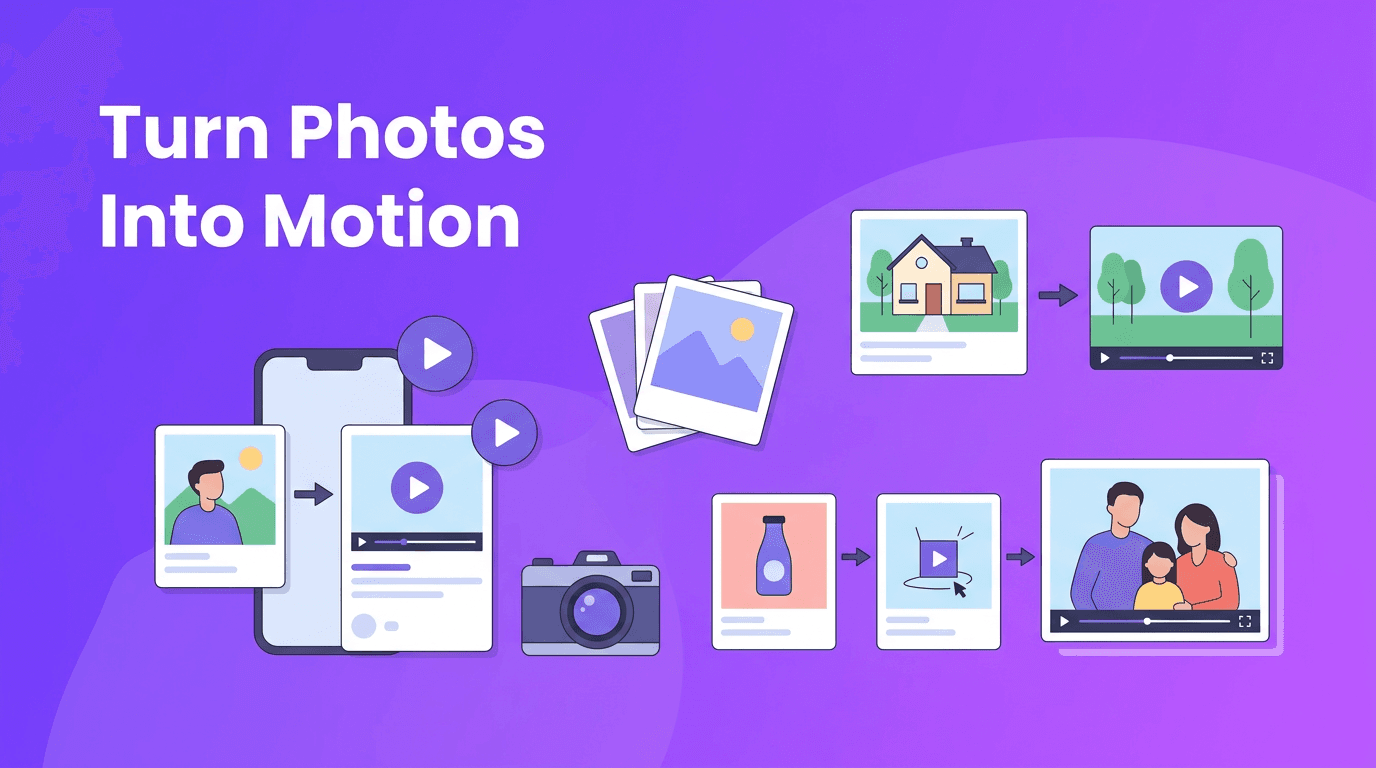
For photographers, sellers, agents, and creators, static images often do the hard work of capturing attention. But motion adds context and drama. A simple photo to video transformation can make a product feel premium, help a listing feel more spacious, or make a personal memory feel alive again.
- Product photography can feel more dynamic with pans, zooms, and layered movement.
- Real estate images can become short walkthrough-style clips for listings and ads.
- Family and travel photos can become emotional memory videos with gentle motion.
- Social media posts become more scroll-stopping when stills gain cinematic energy.
"A still photo captures a moment. Motion helps people feel it."
How AI animates a still image
At a simple level, image to video AI estimates how a photo could move in a believable way. It may simulate camera motion like a push-in or pan, separate the foreground from the background for a parallax effect, or animate small elements such as hair, water, clouds, lights, or fabric. Some tools can even infer character motion from a portrait or scene.
Common animation styles to try
- Cinematic pan - moves the frame left, right, up, or down to reveal more of the scene.
- Slow zoom - pushes in for emotion or pulls back for context.
- Parallax motion - separates depth layers so foreground and background move differently.
- Character animation - adds subtle motion to faces, posture, or body position when suitable.
- Ambient scene movement - animates environmental details like smoke, rain, reflections, or light.
If you want to turn photo into video content that feels polished, the best results usually come from matching the motion style to the subject. A portrait may benefit from a slow zoom. A room photo may work better with a smooth pan. A product image may look strongest with a controlled parallax move.
Best use cases for AI photo animation
1. Product photography animation for e-commerce
Online stores can use ai photo animation to make simple product shots feel more premium. Imagine a skincare bottle with a soft camera push, floating highlights, or a subtle background shift. This helps ads, landing pages, and social videos feel more alive without filming new footage.
- Use close-up product shots with clear edges and strong lighting.
- Keep the background clean so AI can separate layers more accurately.
- Choose short 5 to 10 second clips for ads, reels, and product pages.
- Add text overlays later to highlight features, price, or limited-time offers.
2. Real estate virtual tours from listing photos
Agents can convert image to video clips from interior and exterior photos to build lightweight virtual tours. A wide living room image can become a slow camera glide. A kitchen shot can get a gentle zoom. Exterior images can feel more inviting with subtle environmental motion.
This approach is especially useful when you need fast content for social ads, listing previews, or client presentations. It is not a full replacement for video walkthroughs, but it is a smart way to repurpose existing photography.
3. Personal memory videos and old photo revival
One of the most emotional use cases is using bring photos to life ai tools for family archives. Old portraits, wedding photos, childhood snapshots, and travel memories can feel newly meaningful when animated with respectful, subtle movement. A slow zoom, slight head movement, or layered depth effect can add life without making the result feel unnatural.
4. Social media content from a single image
Creators often need volume, speed, and variety. A good photo to video app helps turn one image into multiple short clips for TikTok, Instagram Reels, YouTube Shorts, and story posts. You can test different motions from the same photo to see which version gets the most engagement.
How to get better results from your source photos
The quality of your output starts with the quality of your input. Whether you use animate photo ai tools for a portrait, product image, or room shot, source selection matters.
- Use high-resolution photos whenever possible.
- Pick images with a clear subject and visible separation from the background.
- Avoid heavy blur, compression artifacts, or low-light noise.
- For portraits, choose photos with natural facial detail and clean lighting.
- For interiors, start with wide, balanced compositions that leave room for virtual camera movement.
- For products, use photos with defined outlines so AI can map depth more accurately.
When subtle motion beats dramatic motion
Many creators overdo movement when they first turn photo into video clips. In most cases, subtle motion looks more premium. Small pans, restrained zooms, and realistic parallax usually outperform exaggerated movement, especially for luxury products, property listings, and sentimental photos.
A simple workflow with Movi AI
With *Movi AI*, you can start from an image and generate polished video variations quickly. Upload a photo, choose the type of motion you want, and guide the result with a prompt if needed. This is useful for testing different looks, from cinematic motion to more stylized image to video AI outputs.
- Upload a portrait, product image, room photo, or lifestyle shot.
- Choose a motion direction such as pan, zoom, or layered depth.
- Add a simple prompt to guide mood or scene movement.
- Generate several versions and compare which one feels most natural.
- Export the best clip and reuse it in ads, reels, listing pages, or memory montages.
Ready to animate your photos?
Use Movi AI to create short, engaging clips from still images for products, real estate, memories, and social content.
Download Movi AICommon mistakes to avoid
- Using low-quality photos and expecting cinematic output.
- Choosing motion that fights the composition instead of supporting it.
- Animating every part of the frame when only one focal area matters.
- Making old or emotional family photos look overly artificial.
- Ignoring aspect ratio needs for Reels, Shorts, listings, or ads.
If your goal is to convert image to video in a way that feels professional, start with one clear objective. Do you want a more emotional memory clip, a stronger product ad, or a more immersive listing preview? The answer should guide the motion, pacing, and final format.
Final thoughts on photo to video creation
The biggest advantage of photo to video creation is speed. You can repurpose existing images into fresh video assets without planning a full shoot. For brands, this means more content from the same budget. For creators, it means faster publishing. For families, it means treasured photos can feel vivid again.
As ai photo animation tools improve, the best creators will not be the ones who add the most motion. They will be the ones who choose the right motion for the story. Start simple, stay intentional, and let the image lead the video.
Frequently Asked Questions
How can I turn a photo into video with AI?+
Upload a clear image to an AI app, choose a motion style like pan, zoom, or parallax, and generate a short animated clip. Tools like Movi AI simplify this process for quick results.
What is the best photo to video app for social media content?+
The best app depends on your workflow, but a strong photo to video app should support easy image upload, multiple animation styles, fast exports, and mobile-friendly creation. Movi AI is designed for this kind of quick content production.
Can AI bring old photos to life realistically?+
Yes, AI can add subtle motion, depth, and camera movement to old photos. The most realistic results usually come from high-quality scans and gentle animation choices.
Is image to video AI good for product photography?+
Yes, it works well for product marketing because it adds motion to still product shots without requiring a new video shoot. This is useful for ads, product pages, and social posts.
Can real estate agents convert listing photos into video tours?+
Yes, agents can convert listing photos into short animated walkthrough-style clips. While not the same as filmed tours, they are excellent for previews, ads, and social promotion.
Create stunning AI videos in seconds!
Turn your ideas into professional videos with the #1 AI video maker.
Download Movi AI